

Updated November 2026 · 5 min read
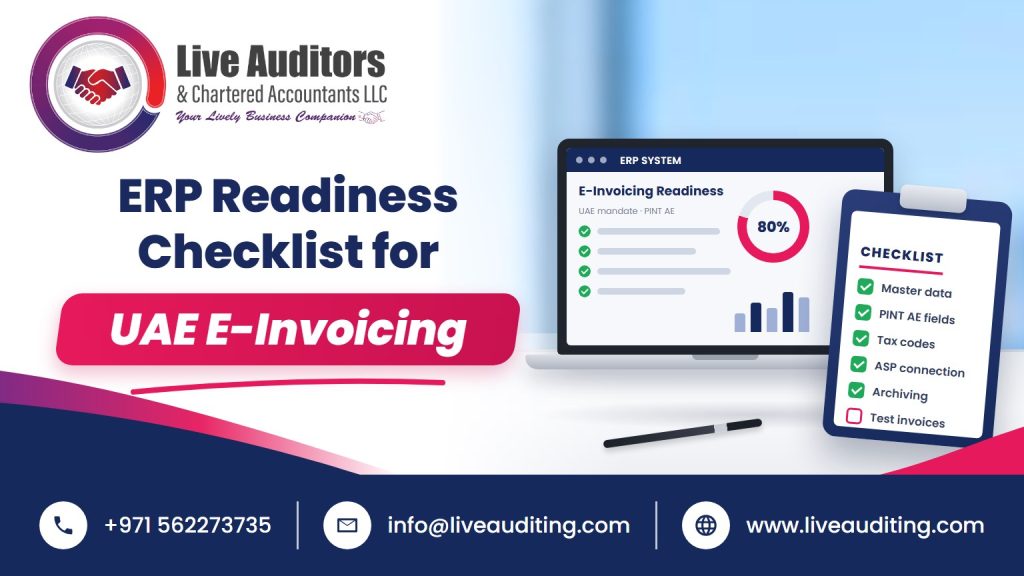
Your ERP is the source of every e-invoice you will send. If it holds weak data, every invoice will carry the same weakness onto the national network. This ERP readiness checklist is built for UAE finance teams who want a practical way to test their system before the go-live date, whether they run SAP, Oracle, Microsoft Dynamics, Odoo, Zoho Books or TallyPrime. Work through it with your IT lead and your tax owner in the same room. If you would like an outside view, our e-invoicing services in Dubai include ERP readiness reviews.
Why the ERP Matters More Than the Provider
Under the UAE model, each business appoints an Accredited Service Provider (ASP). The ASP converts, validates and exchanges invoices in the PINT AE format and handles reporting to the Federal Tax Authority. It is tempting to think the ASP will fix whatever the ERP sends.
It will not. An ASP can transform formats and apply validation rules, but it cannot invent a missing TRN, guess the right VAT category or know which purchase order a line belongs to. Those facts must exist in your ERP before the invoice leaves it.
That is why readiness starts inside your own system. The timeline is tight. A pilot has been running since 1 July 2026, and larger businesses should have appointed their ASP by 31 July 2026. Businesses with revenue of AED 50 million or more go live from 1 January 2027, and others from 1 July 2027.
Many UAE businesses also run more than one system. A trading group might use one ERP for distribution, a separate job-costing tool for its contracting arm and a point-of-sale system in its showrooms. Every system that raises B2B invoices belongs on this checklist.
Section One of the ERP Readiness Checklist, Master Data
Master data is where most failures begin. Check each item below.
Customer master
Every business customer should have a legal name, full address, TRN where registered, and a field for the Peppol electronic address. Remove duplicate customer records, which are common after years of manual set-up.
Supplier master
You will receive e-invoices too. Supplier records need the same quality so incoming invoices can be matched automatically.
Item and service master
Each item should carry a standard unit of measure and a default VAT category. Replace free-text units with codes that map to the PINT AE code lists.
Company data
Confirm your own legal name, TRN and address match FTA records exactly, including for each entity if you run several.
Section Two, Tax Logic and Invoice Types
Next, test whether the ERP can produce every kind of document you actually issue.
List your invoice types: standard tax invoices, credit notes, debit notes if used, advance payment invoices, foreign currency invoices and any self-billed documents. For each one, confirm the ERP captures the fields the specification needs.
Then review tax codes. Many UAE systems were set up in 2018 with a handful of VAT codes and never revisited. You need clear codes for standard rated, zero rated, exempt, out of scope and reverse charge supplies. Each must map to the right category in PINT AE.
Finally, check rounding. Line totals, tax totals and document totals must reconcile exactly. Small rounding differences that a PDF could hide will cause structured invoices to fail.
Check foreign currency handling too. Where you invoice in US dollars or euros, the VAT amount still needs to be shown in AED, so the ERP must apply and store the exchange rate used on each invoice.
Section Three, Integration and Connectivity
This section is where IT does most of the work.
Decide how invoice data will reach the ASP. Options usually include a direct API connection, a connector built by your ERP vendor or partner, or a file-based export. Ask your ERP partner which ASPs they already support and what version of PINT AE they have built to.
Confirm how status messages come back. Your team must be able to see, inside the ERP, whether each invoice was accepted, rejected or is pending. If staff have to log into a separate portal to check, errors will be missed.
Ask for a test environment. You will want to send realistic invoices to your ASP without touching live records, and you will want to repeat those tests after every ERP update or patch.
Plan for incoming invoices as well. Purchase invoices will arrive electronically and should flow into accounts payable with minimal re-keying. For background on how the wider network handles document exchange, the OpenPeppol website is a useful reference.
Section Four, Controls and Ownership
Technology alone does not make you ready. Someone has to own the process.
Assign owners for customer data, item data, tax codes and exception handling. Write a short procedure for what happens when an invoice is rejected, who fixes it, and how quickly. Set user permissions so only authorised staff can change tax codes or customer TRNs.
Build in review points. A monthly reconciliation between ERP sales, ASP records and the VAT return will catch problems early. An independent check from internal and external audit services in UAE can test whether these controls actually work after go-live.
Keep records you can retrieve. Structured invoice files, status messages and rejections form part of your tax records, so confirm where they will be stored and for how long. Plan the cut-over date with care as well. Avoid going live on the last day of a VAT period or at year end, when the team is already stretched.
Our e-invoicing services in Dubai cover this full checklist, from data review through to control design.
Turning the Checklist Into a Plan
Score each section red, amber or green, then plan the red items first. Most businesses find that master data and tax codes take longer than the technical connection. Live Auditors is not an ASP. We help businesses get their ERP and processes ready and work alongside the provider they appoint. See how our e-invoicing services in Dubai can support your readiness project.
Contact us on +971 56 227 3735 or email info@liveauditing.com to book an ERP readiness review.
Frequently Asked Questions
1. Is my ERP ready for UAE e-invoicing?
Your ERP is likely ready if it holds clean customer and item master data, applies correct VAT categories, produces every invoice type you issue and can connect to an Accredited Service Provider. Gaps in master data and tax codes are the most common problems, so review those first before focusing on technical integration.
2. Can my ASP fix errors in my ERP data?
An Accredited Service Provider can convert formats and run validation checks, but it cannot supply facts your ERP does not hold, such as a missing TRN or the correct VAT category. Errors should be fixed at the source in your ERP, otherwise the same rejection will repeat on every affected invoice.
3. Do small accounting systems support UAE e-invoicing?
Many accounting systems used by smaller UAE businesses are adding e-invoicing support or connectors to Accredited Service Providers. Ask your software vendor or partner which providers they support and which version of PINT AE they have built to. Where native support is limited, some providers offer upload or portal options.
4. How long does ERP readiness for e-invoicing take?
The time depends on data quality, system complexity and the number of entities. A small business with clean data may need a few weeks, while a larger group with several ERPs may need several months. Cleaning master data and tax codes usually takes longer than the technical connection.
5. Who should own e-invoicing inside a business?
Finance usually owns the process overall, with clear owners for customer data, item data, tax codes and rejected invoices. IT supports the technical connection and system changes. Writing down who fixes what, and how quickly, prevents rejected invoices from sitting unresolved and causing payment delays or compliance issues.
